Is Ubersuggest worth it? For most small businesses and solo marketers, yes—Ubersuggest offers solid keyword research and competitive analysis at a fraction of the cost of premium tools, though it has some data accuracy limitations you should know about.
Quick verdict
Ubersuggest sits in a sweet spot for budget-conscious marketers who need more than free tools but can’t justify spending $300+ monthly on enterprise SEO software. It’s not perfect, but it gets the job done for most small business needs.
The tool excels at basic keyword research and competitor analysis. Where it falls short is data accuracy compared to industry leaders. But here’s the thing—perfect data isn’t always necessary when you’re starting out or working with limited budgets.
I’ve seen many small business owners get paralyzed choosing between expensive tools when they could be making progress with something affordable. Amy, a florist I know, doubled her revenue by focusing on helpful blog content rather than obsessing over tools. She used basic keyword research to guide her content, proving that execution matters more than having the most expensive software.
An introduction to Ubersuggest
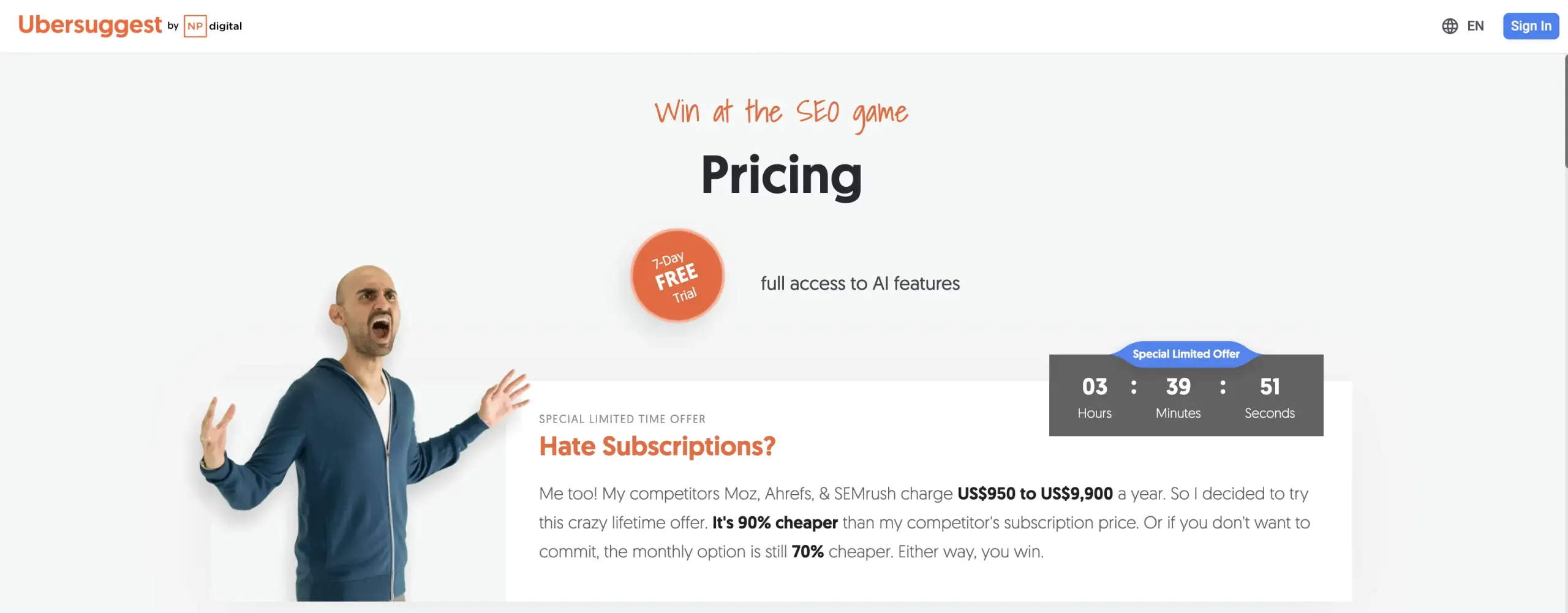
Ubersuggest started as a simple keyword suggestion tool and evolved into a comprehensive SEO platform under Neil Patel’s guidance. Today, it offers keyword research, site audits, rank tracking, and competitive analysis—essentially covering all the basics most businesses need.
The platform targets small to medium-sized businesses who want professional SEO insights without enterprise pricing. At around $29-99 per month (depending on your plan), it costs significantly less than alternatives like Ahrefs ($99-999/month) or Semrush ($139-449/month).
Is Ubersuggest good for beginners? Absolutely. The interface is clean and intuitive. You don’t need a degree in data science to understand the reports. This matters when you’re juggling marketing with everything else in your business.
The tool provides search volume data, keyword difficulty scores, and content ideas. It also includes Chrome extensions for quick competitive analysis while browsing. For someone just getting serious about conducting keyword research, Ubersuggest removes many technical barriers.
However, experienced SEO professionals often find it lacking compared to more robust platforms. The question becomes: do you need that extra depth, or will Ubersuggest’s features serve your current needs?
Domain analysis
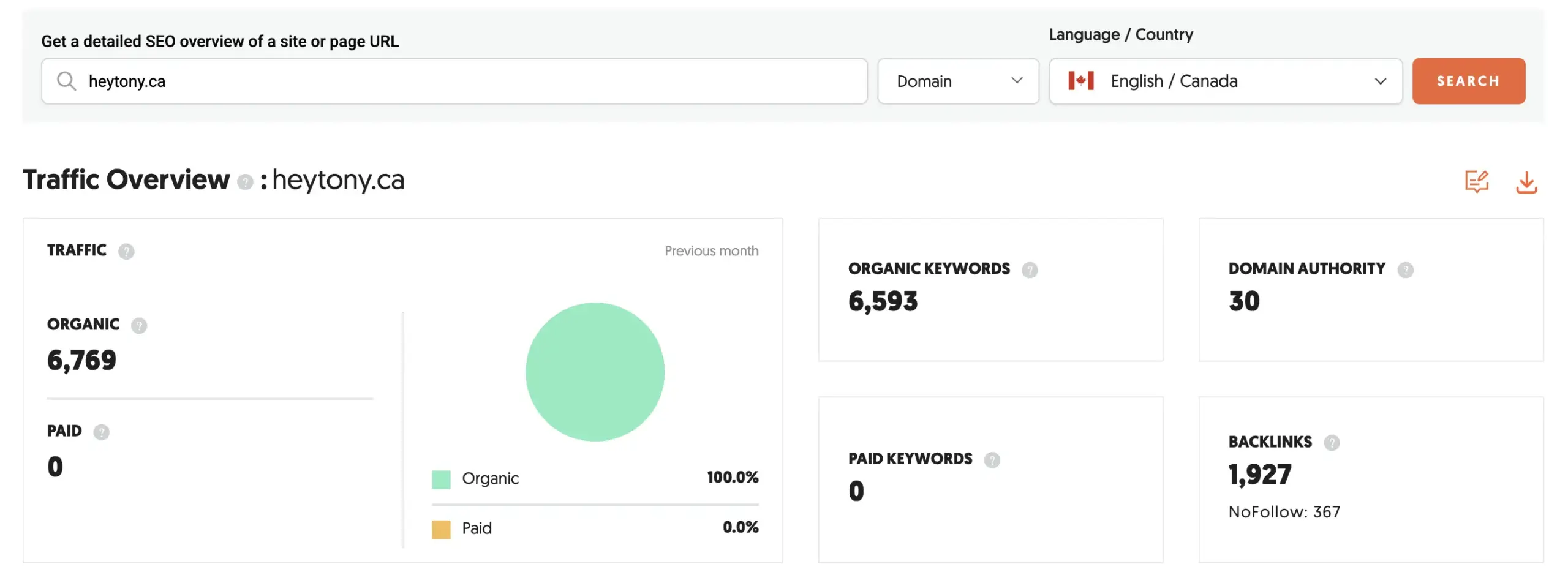
Domain analysis in Ubersuggest gives you a bird’s-eye view of any website’s SEO performance. You can see organic traffic estimates, top-performing pages, and the keywords driving that traffic.
The domain overview dashboard shows monthly organic traffic, domain authority, and backlink counts. These metrics help you benchmark against competitors and identify opportunities. When working on improving domain authority, this data provides a starting point for your strategy.
One limitation is data freshness. Ubersuggest’s database isn’t updated as frequently as premium tools, so you might see outdated information. This affects accuracy, especially for rapidly changing websites or newer domains.
The “Top Pages” feature reveals which pages generate the most organic traffic for any domain. This intelligence helps you understand what content performs well in your industry. I’ve used this feature to help clients identify content gaps and opportunities.
For competitive analysis, you can compare multiple domains side-by-side. This works well for local businesses wanting to understand their competitive landscape without hiring expensive professional SEO services.
The tool also shows estimated traffic value—what you’d pay for equivalent Google Ads traffic. While these estimates should be taken with a grain of salt, they provide useful context for prioritizing SEO efforts.
Keyword research
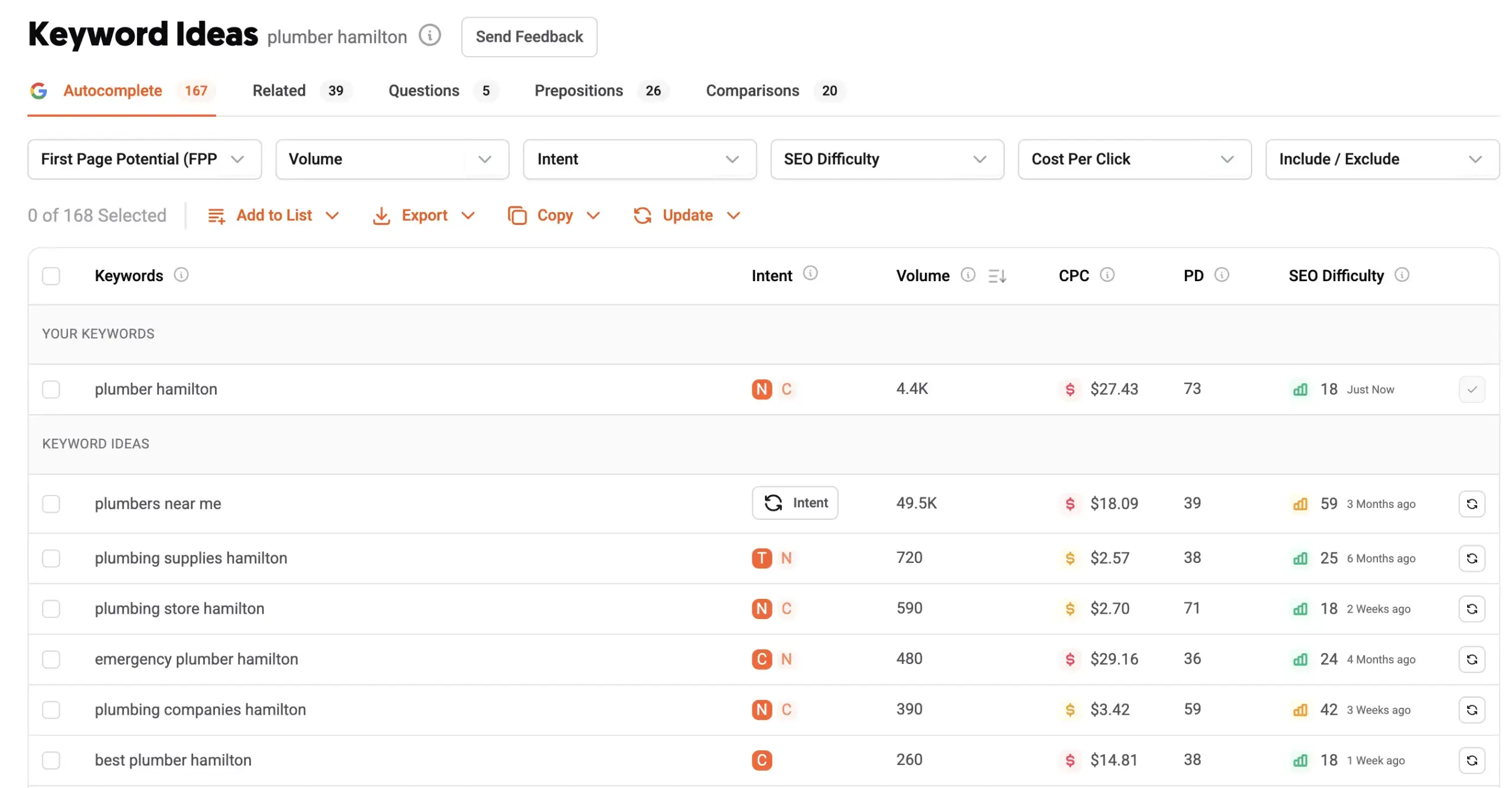
Keyword research is Ubersuggest’s strongest feature. Enter a seed keyword, and you’ll get hundreds of related terms with search volume, competition levels, and trend data.
The keyword difficulty metric attempts to predict how hard it would be to rank for specific terms. However, this is where Ubersuggest shows its limitations. Many users report that the difficulty scores don’t always align with reality. Keywords marked as “easy” sometimes prove quite competitive, and vice versa.
Despite these accuracy issues, the keyword suggestions themselves are valuable. The tool pulls ideas from Google’s autocomplete, related searches, and questions people ask. This breadth helps with content planning and identifying long-tail opportunities.
The “Content Ideas” feature shows top-performing articles for your target keywords. You can see estimated visits, social shares, and backlinks for each piece. This competitive intelligence helps you understand what type of content resonates with your audience.
For local businesses, Ubersuggest includes location-based keyword data. A college student I know used this feature to help a dumpster rental company identify local search opportunities, ultimately helping them grow from 11 rental bins to over 100 through improved search visibility.
The export functionality lets you download keyword lists for further analysis. This is essential for larger keyword research projects or when working with clients who need detailed reports.
Rank tracking
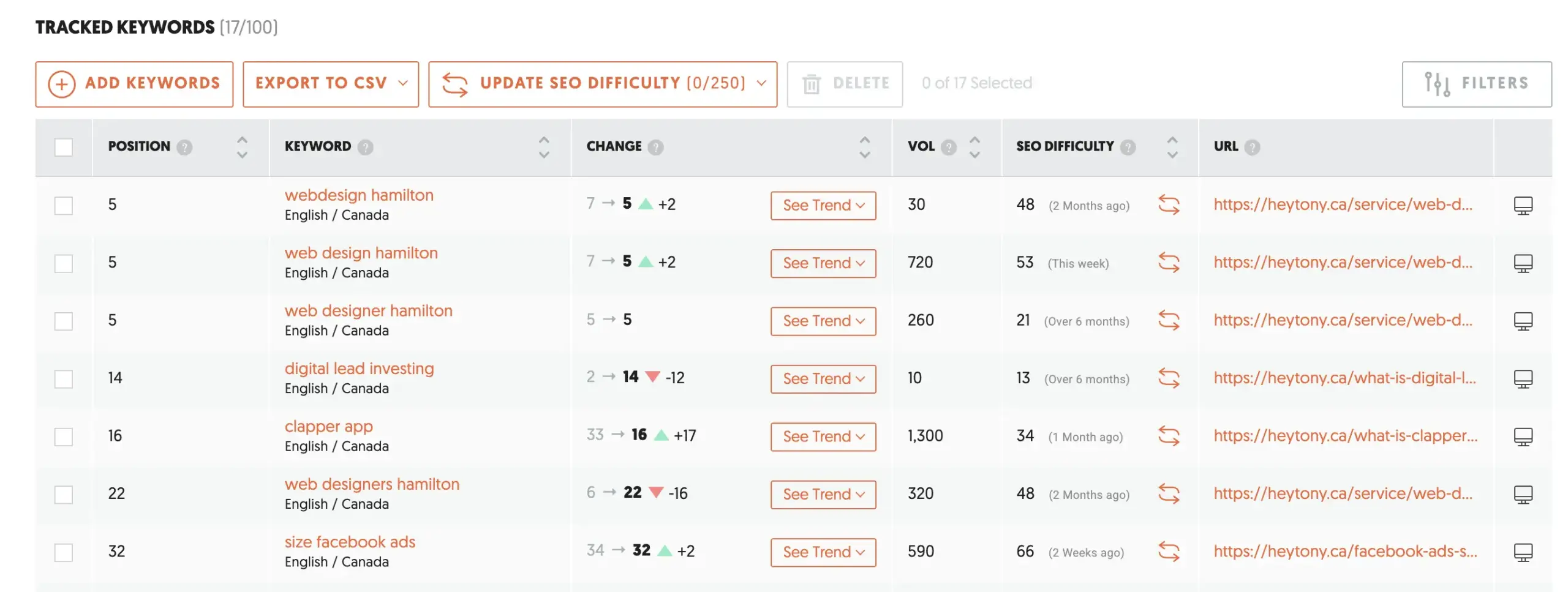
Rank tracking in Ubersuggest monitors your website’s position for target keywords over time. You can track up to 25-300 keywords depending on your plan, with daily updates showing position changes.
The interface displays ranking trends through clean charts and graphs. You can filter by device (mobile vs. desktop), location, and time periods. This granular view helps you understand how algorithm updates or content changes affect your visibility.
One useful feature is competitor rank tracking. You can monitor how your competitors perform for the same keywords you’re targeting. This intelligence helps you gauge the effectiveness of your SEO efforts relative to your competition.
The tool also provides SERP feature tracking, showing when your pages appear in featured snippets, image packs, or other special result types. Understanding these opportunities can significantly impact your organic traffic.
However, rank tracking accuracy can be inconsistent compared to more specialized tools. Some users report discrepancies between Ubersuggest’s data and manual searches. For businesses where precise ranking data is critical, this limitation might be problematic.
The reporting functionality allows you to generate white-label reports for clients or stakeholders. The reports include ranking changes, traffic estimates, and competitor comparisons—useful for demonstrating SEO progress over time.
Backlink analysis
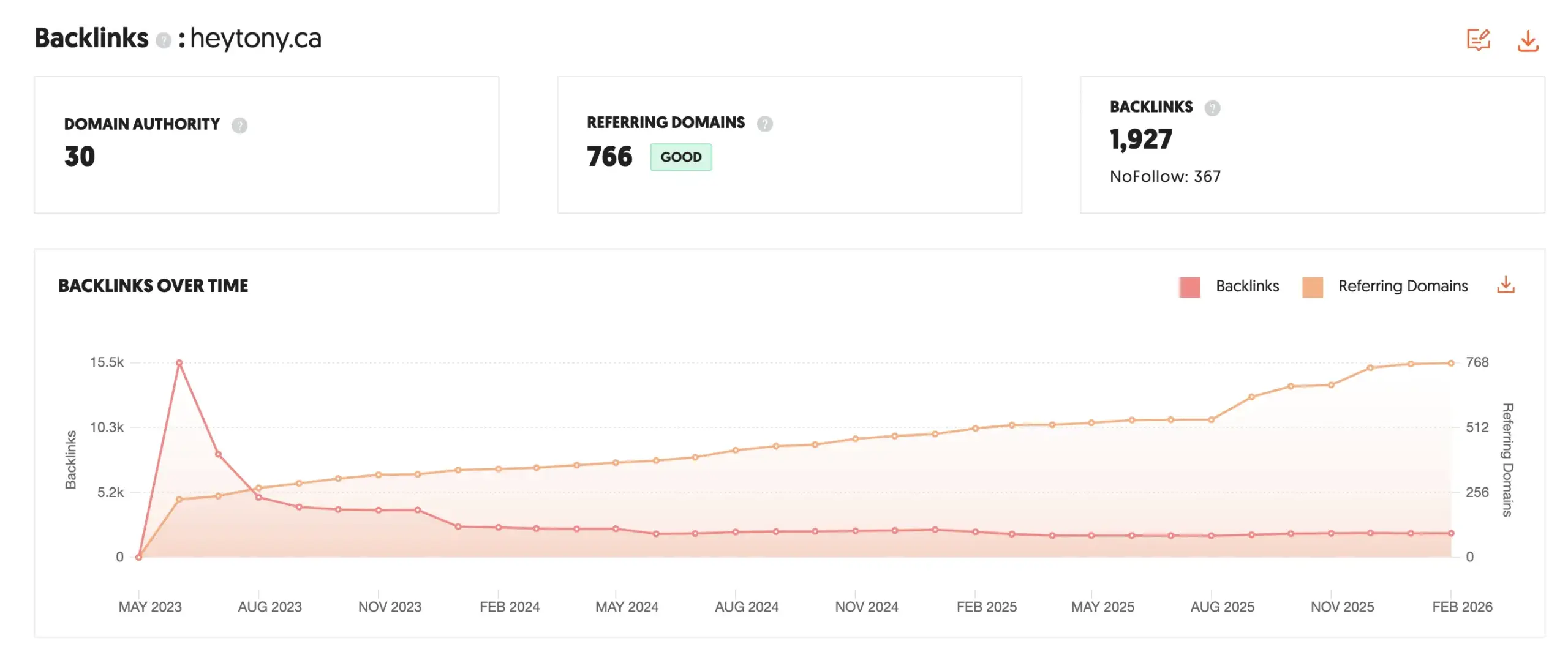
Ubersuggest’s backlink analysis provides insights into your site’s link profile and competitive link opportunities. You can see which sites link to you, the anchor text they use, and the estimated authority of linking domains.
The backlink database is smaller than premium alternatives, which means you might miss some links. However, it captures the most important ones—high-authority links that significantly impact your rankings.
The “Link Opportunities” feature suggests potential link building targets by analyzing competitor backlinks. It shows sites that link to your competitors but not to you, creating a prospecting list for outreach campaigns.
You can also monitor new and lost backlinks over time. This tracking helps you identify negative SEO attacks or natural link decay that might hurt your rankings.
The disavow tool integration helps you prepare files for Google’s disavow tool when dealing with spammy or harmful links. While not as comprehensive as specialized link analysis tools, it covers the basics most businesses need.
For anchor text analysis, Ubersuggest shows the distribution of anchor text variations pointing to your site. This helps you maintain a natural link profile and avoid over-optimization penalties.
Site auditing
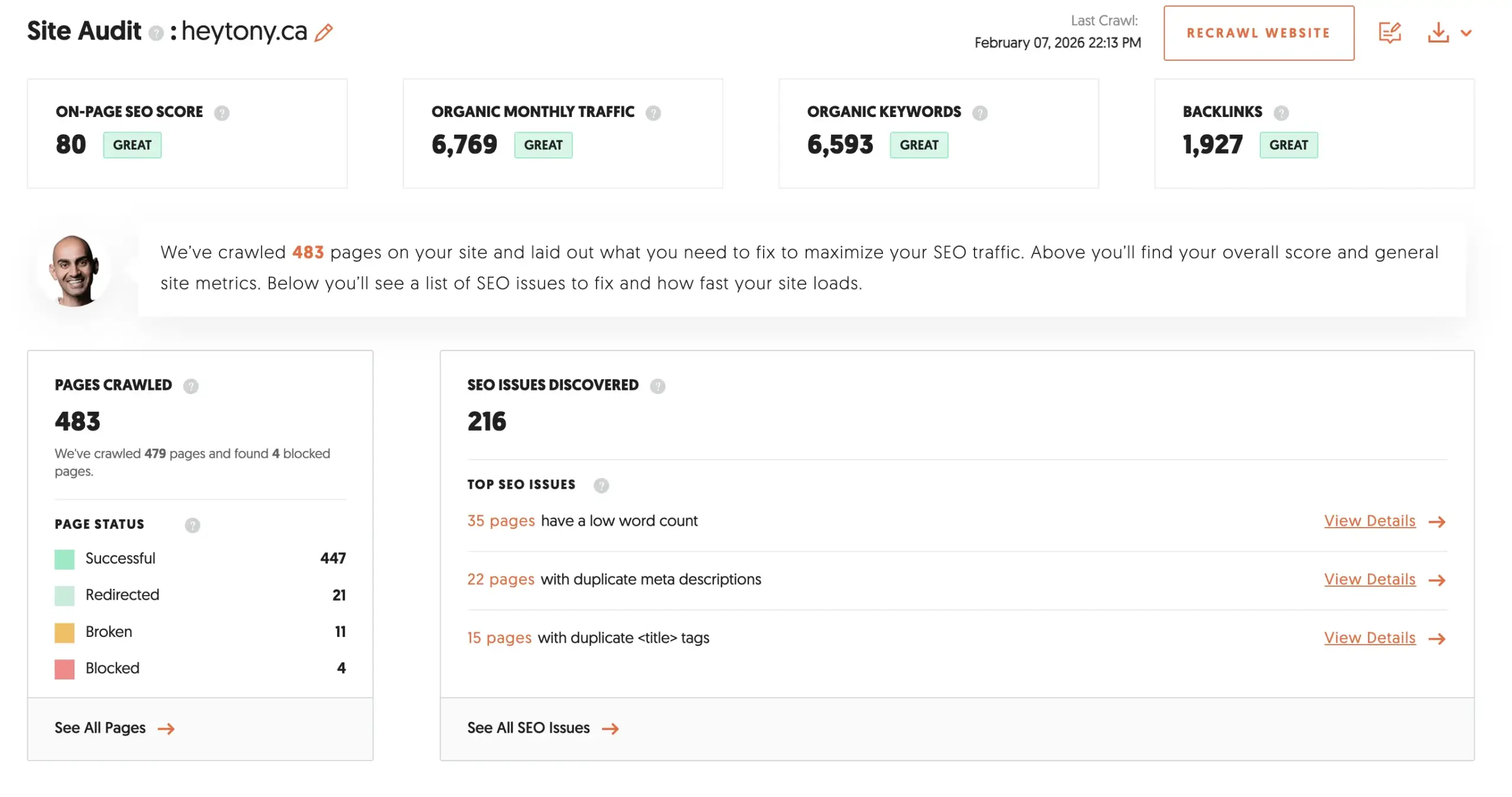
The site audit feature crawls your website to identify technical SEO issues. It checks for broken links, missing meta tags, slow-loading pages, and other problems that might hurt your search performance.
The audit interface presents issues in order of priority, helping you focus on the most impactful fixes first. Each issue includes explanations and recommended solutions, making it accessible for non-technical users.
However, the audit depth is limited compared to specialized technical SEO tools. It catches obvious problems but might miss complex issues that require deeper analysis. For basic site health monitoring, it’s adequate.
The tool also provides page-level optimization suggestions, including title tag and meta description recommendations. While conducting your audits, you might want to complement this with pageaudit.com/extension, a free on-page SEO tool that provides detailed keyword-specific analysis for any webpage.
Mobile optimization checks are included, which is crucial since Google prioritizes mobile-friendly sites. The audit identifies responsive design issues and page speed problems on mobile devices.
Regular audit scheduling helps you monitor site health over time. You can set up weekly or monthly audits to catch issues before they impact your rankings significantly.
Competitive analysis features
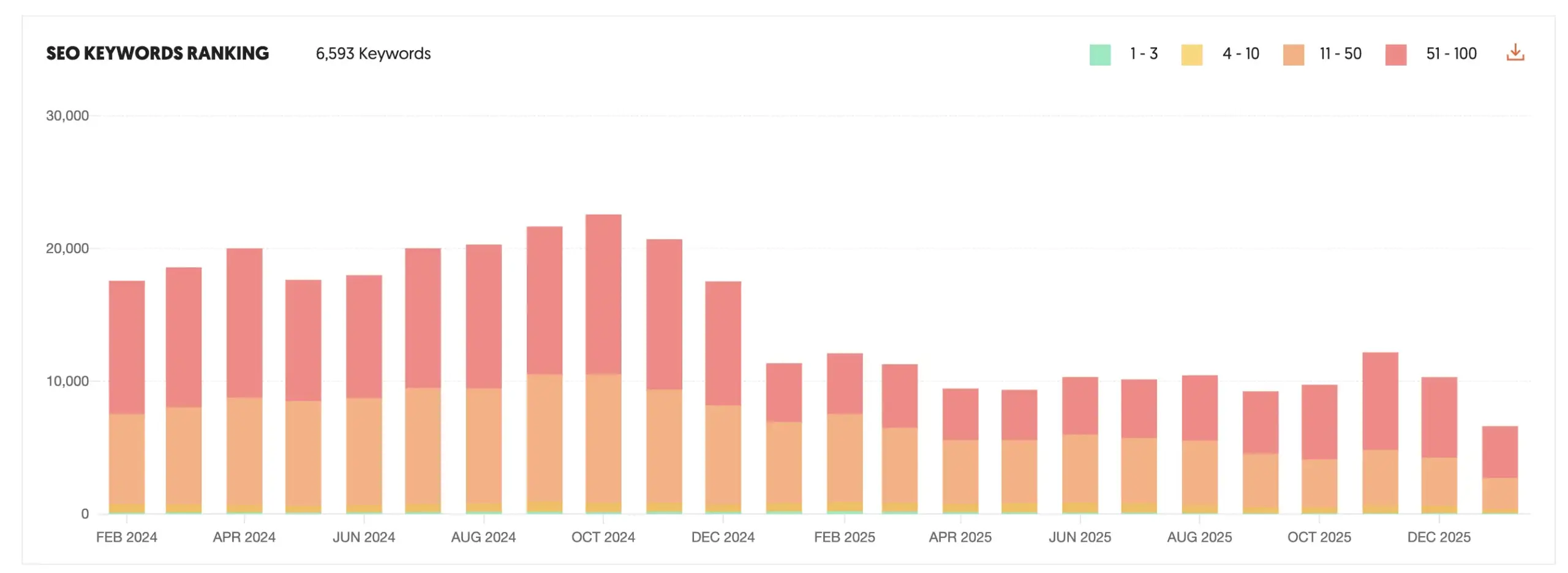
Ubersuggest’s competitive analysis tools help you understand what’s working for your competitors and identify opportunities they might be missing.
The competitor comparison feature lets you analyze multiple domains simultaneously, comparing traffic, keywords, and backlinks side-by-side. This overview helps you understand your position in the competitive landscape.
You can discover your competitors’ top-performing keywords and estimate the traffic they’re generating from each term. This intelligence guides your own keyword targeting and content strategy.
The “Traffic Analyzer” shows competitor traffic trends over time, helping you identify seasonal patterns or successful campaign periods. Understanding these patterns can inform your own marketing timing.
Content gap analysis reveals keywords your competitors rank for that you don’t. This feature essentially creates a roadmap for content creation and internal linking strategies to capture more search visibility.
The social media integration shows which competitor content gets the most social engagement. This helps you understand what resonates with your shared audience and informs your own content approach.
PPC analysis features show competitor ad copy and estimated ad spend, providing insights for both SEO and paid search strategies. While not as detailed as dedicated PPC tools, it offers useful competitive intelligence.
Key Takeaways
- Ubersuggest is worth it for small businesses and budget-conscious marketers who need comprehensive SEO insights without enterprise-level pricing
- The tool excels at keyword research and competitive analysis but has some data accuracy limitations compared to premium alternatives like Ahrefs and Semrush
- Keyword difficulty metrics can be unreliable, so use them as rough guidance rather than absolute truth when planning your content strategy
- The platform works best for beginners and intermediate users who want an intuitive interface without overwhelming complexity or technical jargon
- Consider complementing Ubersuggest with free tools like the pageaudit.com extension for more detailed on-page SEO analysis
- Focus on execution over perfect data—having an affordable tool you actually use beats expensive software that sits unused
Originally published . Last updated .
Categories:



Explore More