How to Audit Your Money Page (Rank Week Day 2 — Step by Step)
If you fell behind on Day 2, breathe. You’re not behind — you just need this in front of you, at your own pace. This is the single hardest day of Rank Week, and it gets easier every day after. Block out about 15 quiet minutes tonight and follow along. By the end you’ll have audited your own money page and three competitors — and that’s real SEO.
Before you start, grab these four things
You’ll need them open in separate tabs:
- PageAudit → pageaudit.com
- ChatGPT or Claude → whichever you use is fine
- The spreadsheet → Get it here... then File → Make a Copy to save it to your own Google Drive, or download the Excel version.
- The prompt (You can scroll back up to get this when you’re ready):You are formatting SEO audit data for a spreadsheet. Below is raw output copied from a page audit tool. Pull out these 10 values and return them INSIDE A SINGLE CODE BLOCK, one value per line, in this exact order, with NO blank lines between them, no labels, no numbering, and no other text. If a value isn’t present, write N/A — do not guess.1. URL
2. Focus Keyword
3. Title Tag
4. Meta Description
5. H1 Tag
6. H2 Tags (comma-separated)
7. H3 Tags (comma-separated)
8. Word Count
9. Keyword Occurrences
10. Keyword DensityAUDIT DATA: [paste here]
First — what’s a “money page”?
A money page is simply a page that makes you money — usually a product or service page. It’s the page someone lands on because they want to buy something or hire you.
- Dentist → your Invisalign page
- Roofer → your residential roofing page
- Realtor → your “sell your home” or “buy a home” page
- Photographer → your service pages
- E-commerce → each product page is a money page
- Anyone → it could even be your booking or reservation page
You only need one for this training. If you have fifteen, pick the one that isn’t ranking but you wish would.
Part 1: Audit your own money page
Step 1 — Run it through PageAudit
Go to pageaudit.com and fill in two boxes:
- Page URL: paste the link to your money page
- Target Keyword: what you think people type into Google to find that page

Be specific, especially if you’re local. Don’t just put “Movers Toronto” — go “Movers Leslieville.” Instead of a generic term, think “Hamilton Electrician,” “Recording Studio Oakland CA,” “ADU Bay Area.”
Then click Analyze.
Ignore the score and the percentages. Seriously — the overall score doesn’t mean anything for this exercise. We’re not here for the grade. We’re here for the data.
Step 2 — Open the Content tab
Once the page loads, click Content at the top. This is the only tab we need right now.
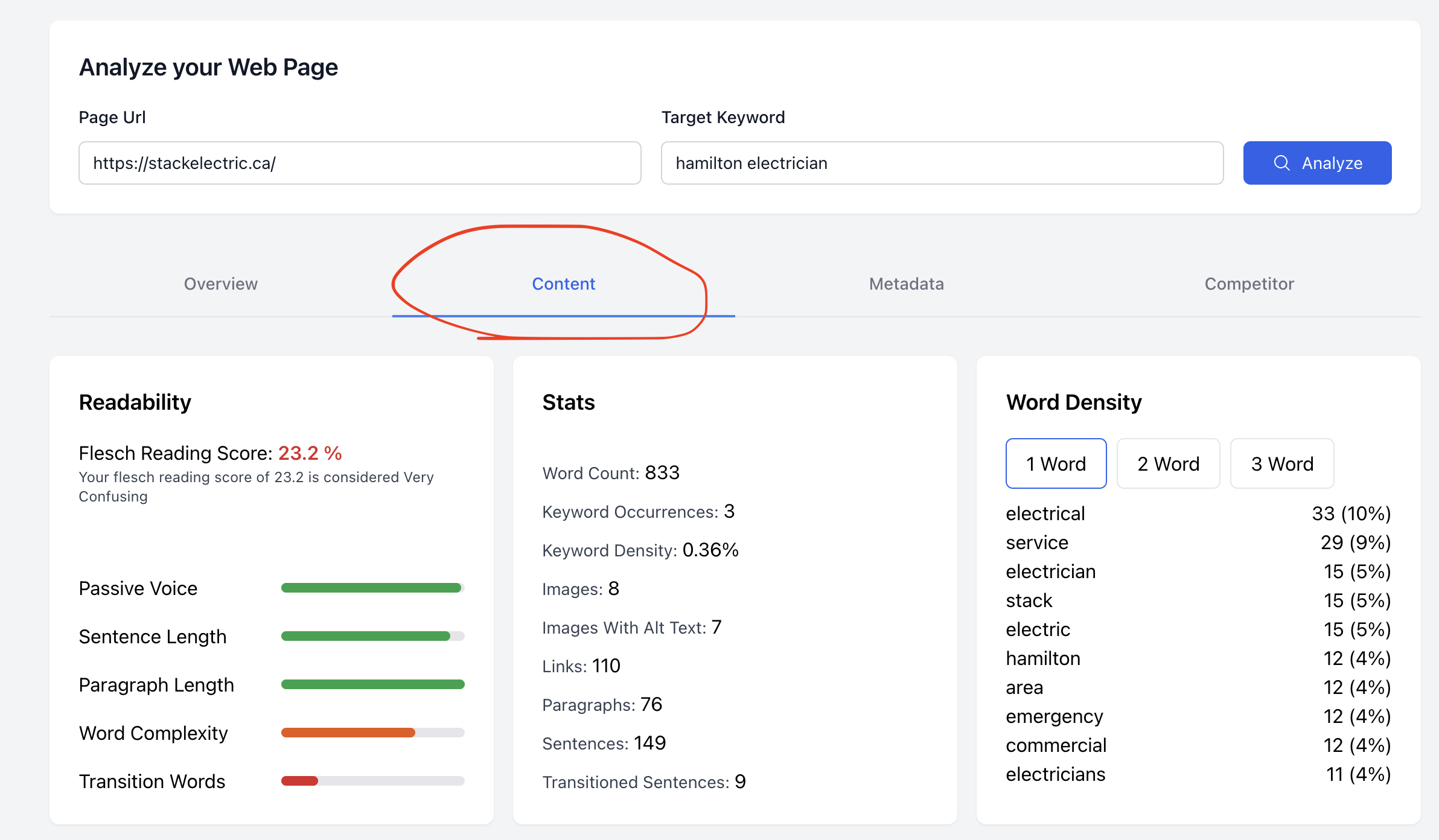
Step 3 — Select everything and copy it
Click anywhere on the page and select the whole thing:
- Mac: Command + A
- Windows: Ctrl + A
Don’t worry about what gets highlighted — grabbing the footer or extra bits is totally fine. Then copy it (Cmd/Ctrl + C).
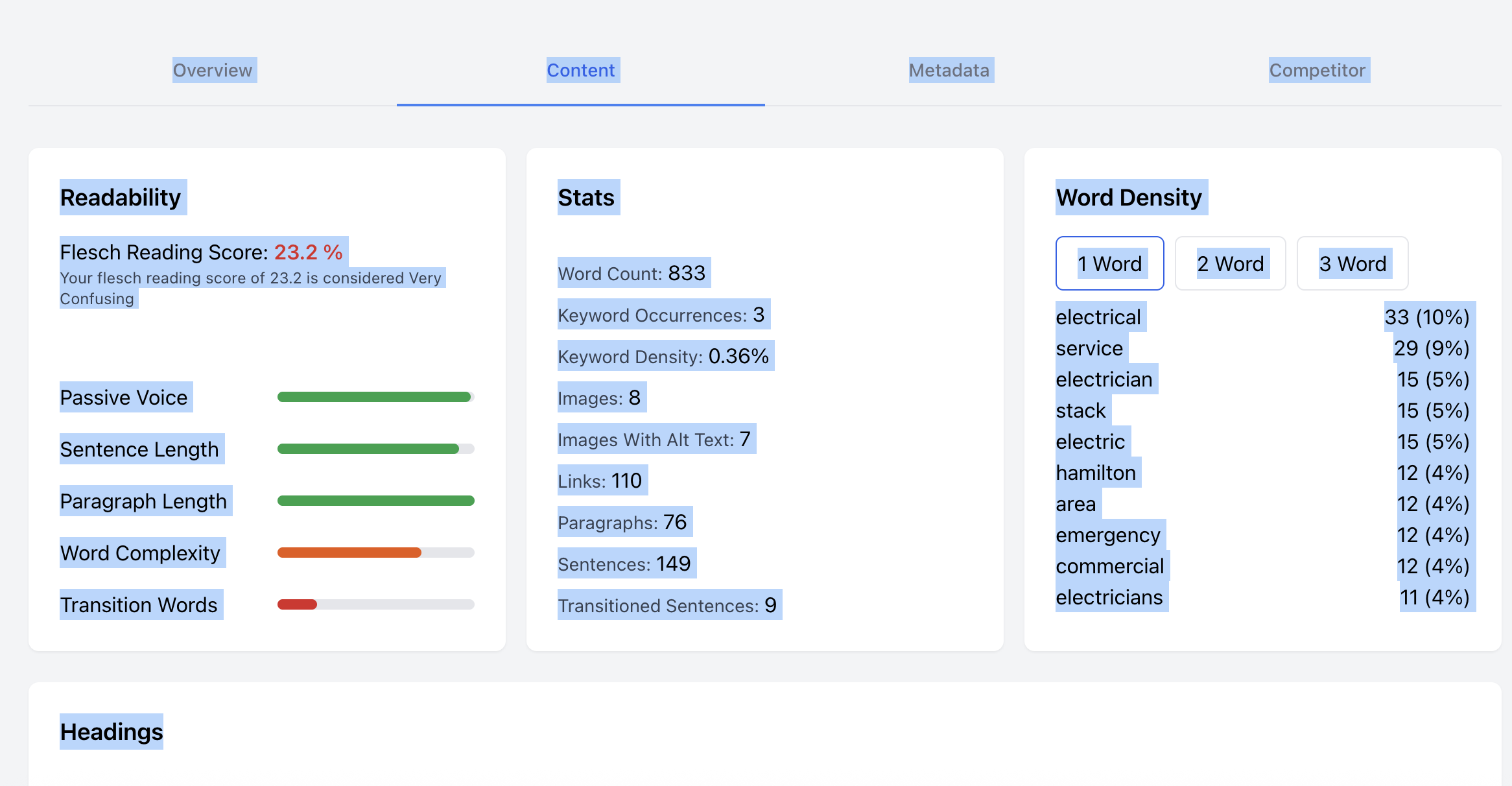
Step 4 — Paste it into ChatGPT or Claude (don’t hit enter yet)
Open ChatGPT or Claude. Paste everything you just copied into the message box. Do not press enter yet.
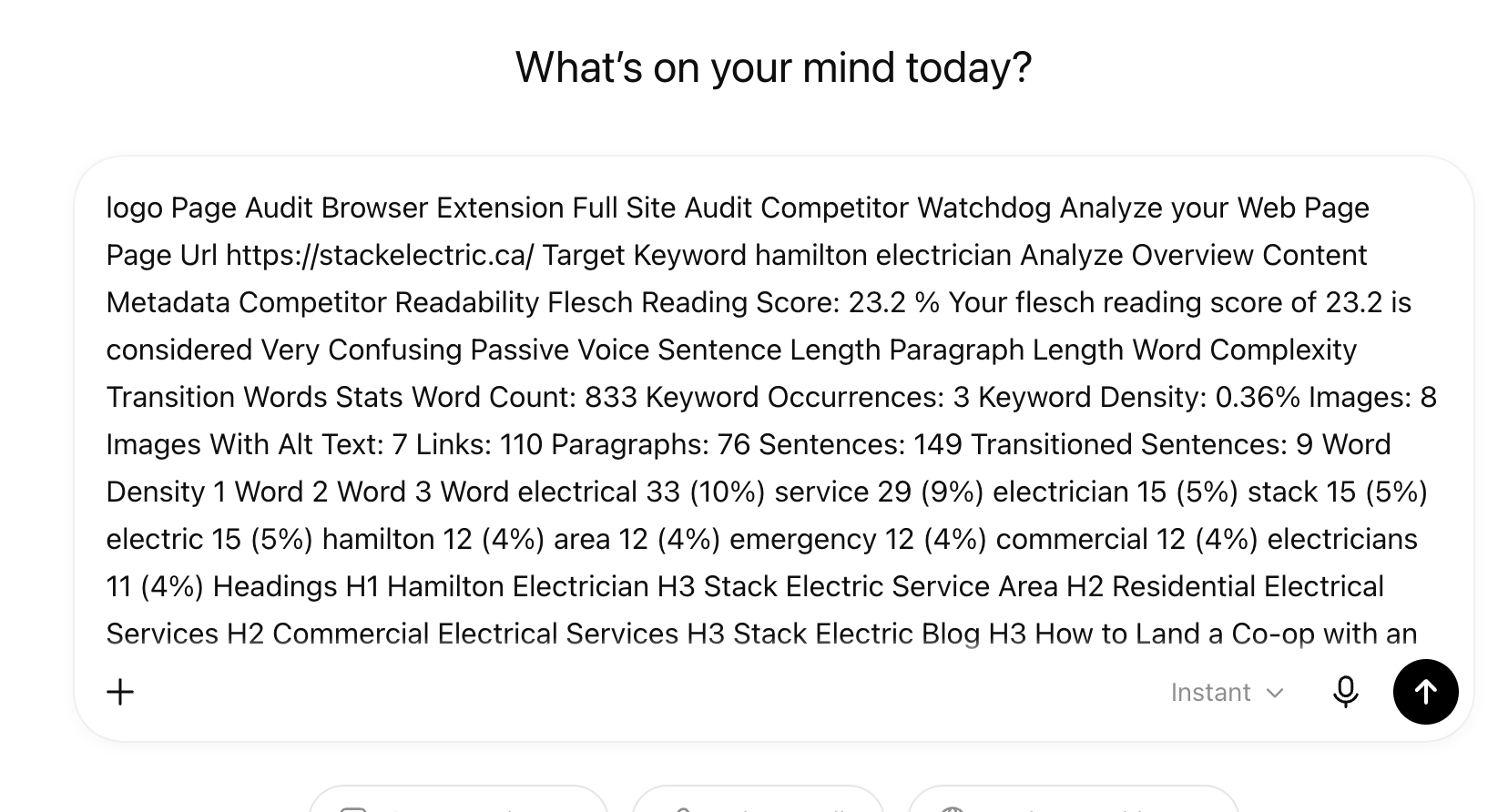
Step 5 — Add the prompt, then send
Go to heytony.ca/prompts, copy the whole prompt, and paste it in — right above or below the text you already pasted. Now press enter.
It’ll spit out a clean, organized block of your page’s data.
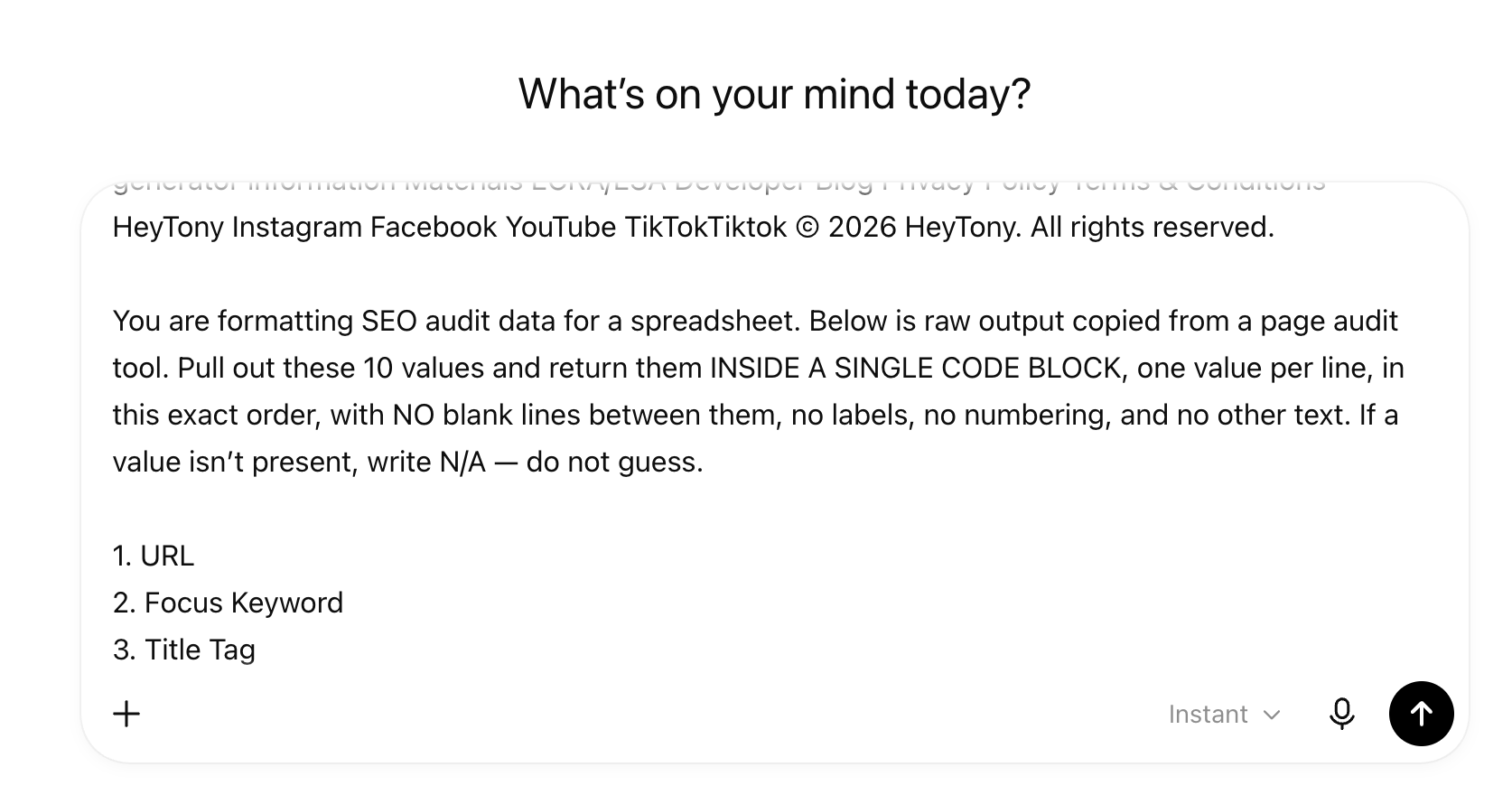
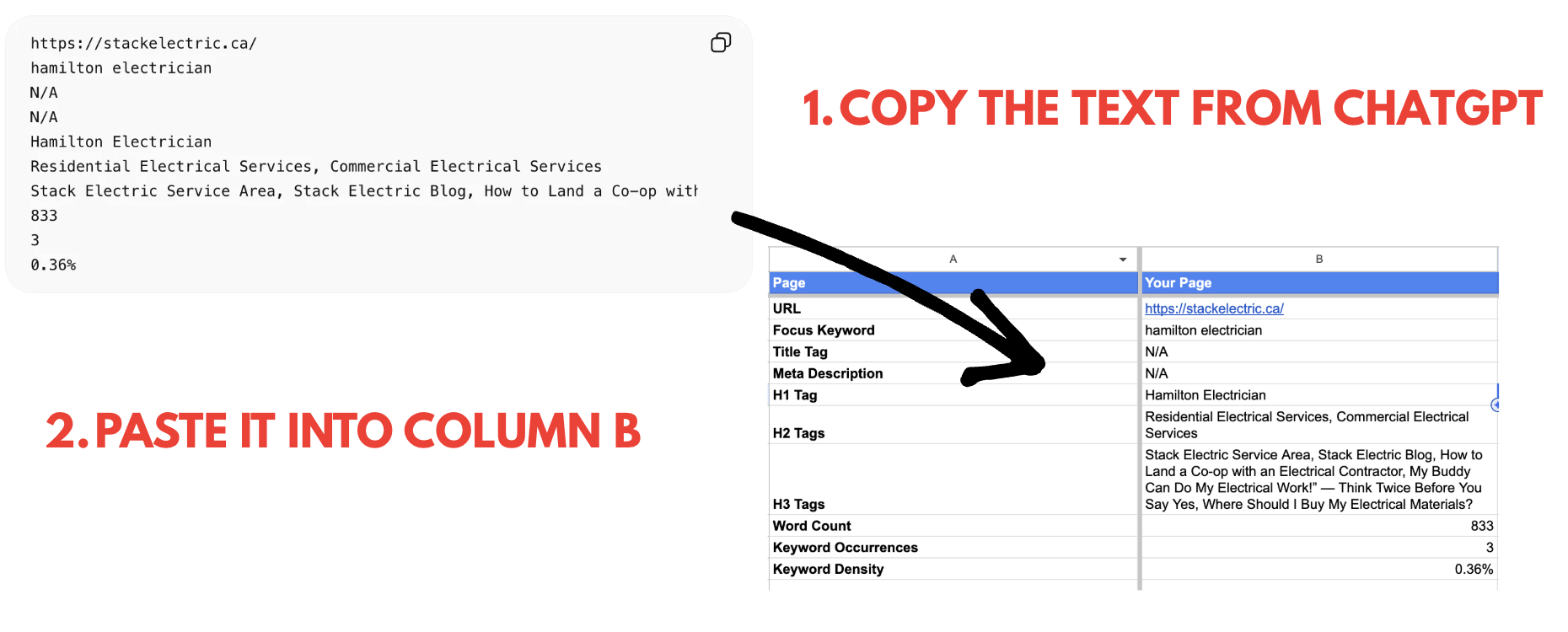
Step 6 — Paste the output into the spreadsheet
In your spreadsheet copy, paste that output into Column B (“Your Page”). I built the prompt so it drops straight in — no reformatting, no copying field by field like we used to have to do.
Step 7 — Fill in the two blanks (Title Tag + Meta Description)
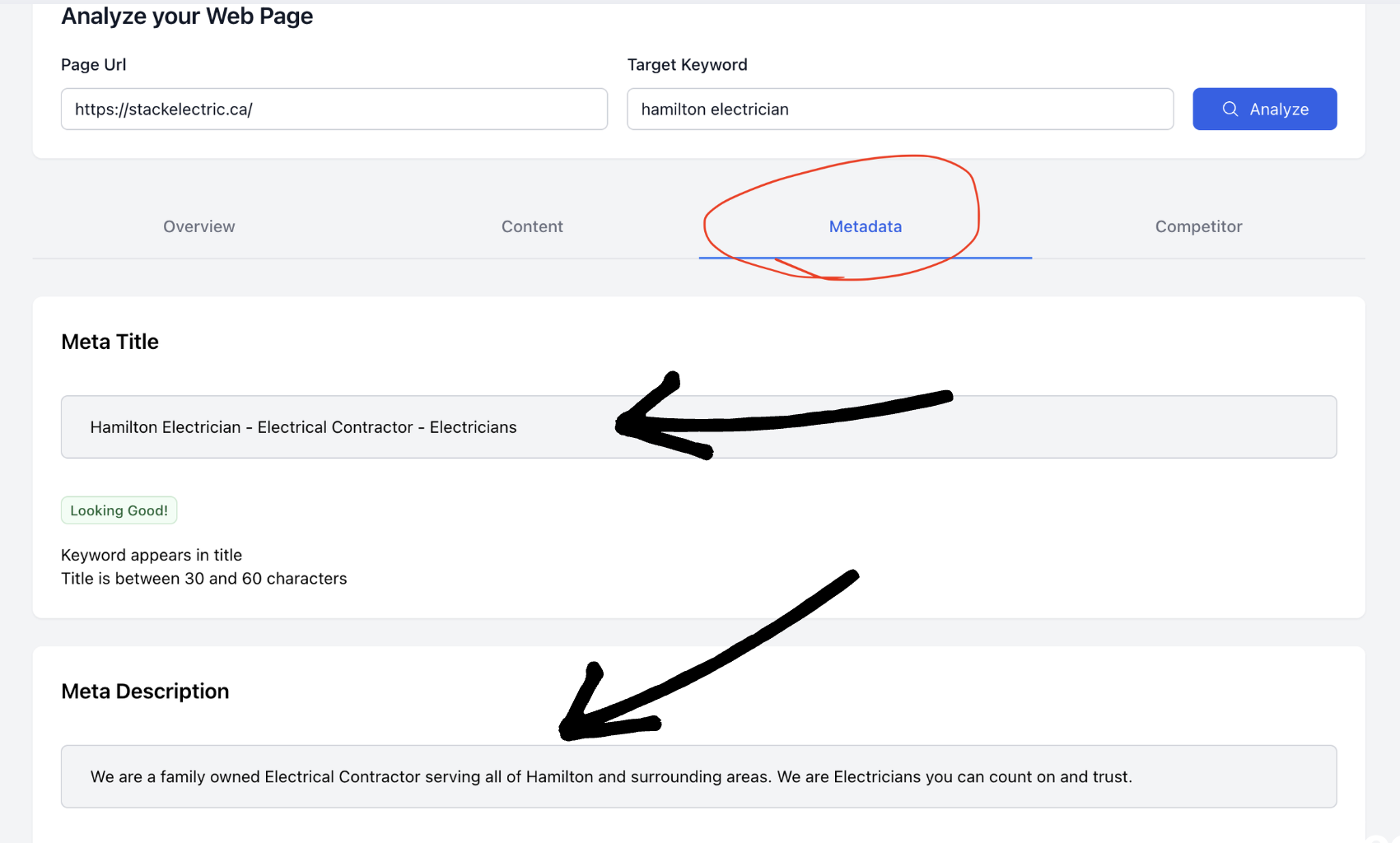
A couple of rows will say N/A — the Title Tag and Meta Description. Here’s how to fill them:
Back on PageAudit, click the Metadata tab. Grab:
- Meta Title (a.k.a. Title Tag) → the blue clickable headline that shows up on Google
- Meta Description → the grey text underneath it on Google
Paste those into the Title Tag and Meta Description rows, replacing the N/A.
✅ That’s your money page done. Take a breath — the hard part is over.
Part 2: Audit your top 3 competitors
This is the same process, just faster now that you’ve done it once.
Step 1 — Find your competitors
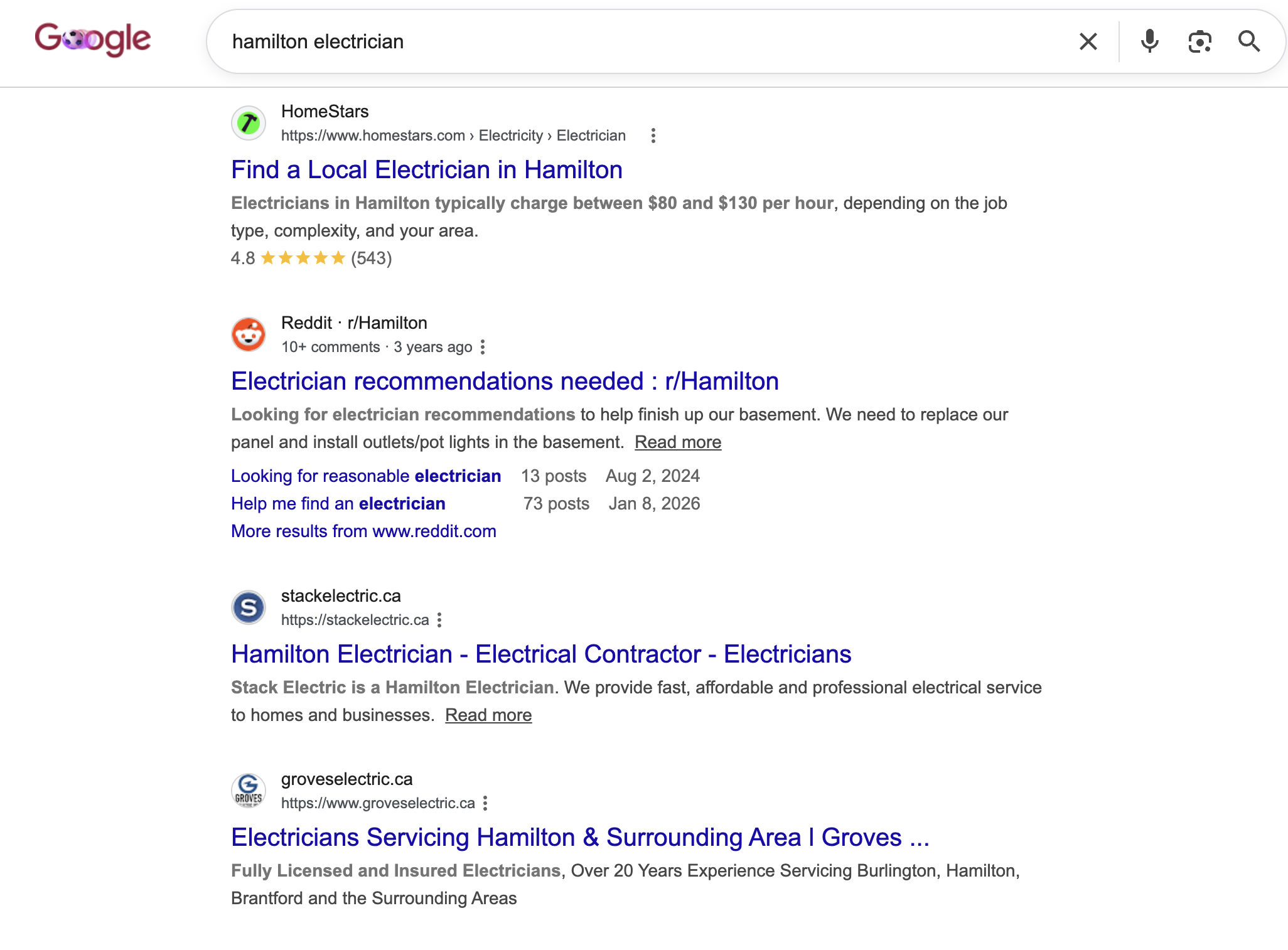
Open Google in an incognito window and search your focus keyword (e.g. Hamilton electrician). Scroll past the ads/sponsored results, then open the top 3 organic results.
Skip anything that isn’t a real competitor — Reddit, Yelp, Instagram, directories. You want actual businesses like yours.
Step 2 — Run each one through the same flow
For each competitor, do exactly what you did for your own page:
- PageAudit → paste their URL → same target keyword → Analyze
- Content tab → select all → copy
- Paste into ChatGPT/Claude → add the prompt → enter
- Paste the output into the spreadsheet as Competitor 1, 2, and 3
- Grab their Metadata (title + description) and fill the blanks
When you’re done, you’ll have your page and three competitors side by side in one sheet.
Troubleshooting (read this if something broke)
Everything came back “N/A.” That means either your keyword wasn’t found on the page, or the page didn’t load. Double-check the keyword actually appears on the page, and try again.
Your own site returns all N/A and you use Cloudflare. Cloudflare may be blocking bots from crawling your site — which also blocks Google and AI. Turn that bot-blocking setting off.
A competitor returns all N/A (they’re blocking crawlers). No problem — use the PageAudit Chrome extension instead:
- On pageaudit.com, click Browser Extension → Add to Chrome.
- Open the competitor’s site directly and scroll — if you can see text, they’re rankable.
- Use the extension to pull their Title Tag, Meta Description, H1/H2/H3 headings, and word count.
- Type your keyword into the extension to see their keyword occurrences and density.
- Drop those values into the spreadsheet manually.
You’re done — here’s why it matters
You just did a real competitive SEO audit: your money page versus the three pages beating you in Google. Most business owners have never looked at their site this way.
Make sure your spreadsheet is filled in before tomorrow — Day 3 builds directly on it. We’re going to use it to figure out the big question: why aren’t you ranking for that keyword yet, and exactly what to fix.
Stuck on any step? Watch the replay (you can pause and slow it down), or email support@heytony.ca and we’ll get you sorted.
You’ve got this. See you tomorrow. 🚀